KRAHE InfoSystems, Inc.

"Solutions that work, the first time."

Home ] About KRAHE ] Contact Us ] Site Map ] Privacy ]

ExtSTAR


ExtSTAR | Features & Benefits | Prior Releases | Reports | Screen Shots
Request Information | Downloadable Product Brochure (PDF)


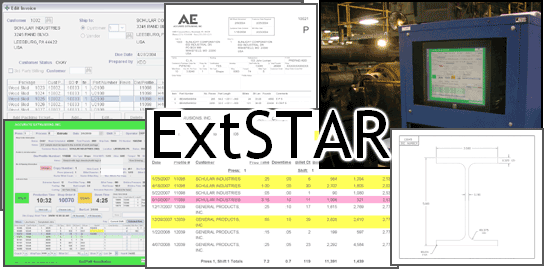
ExtSTAR™ is a complete production information system that lets extruders manage orders from the point they're received through all stages of production to invoicing.  Developed specifically for aluminum extruders, it incorporates features that automate and optimize production planning, scheduling and tracking, inventory management and shipping document generation.  ExtSTAR also includes extensive reporting features that let managers measure production efficiency and profits.  In use for over 11 years, it's a proven solution with a solid track record.


New Version 9.3.3!

Version 9.3.3 adds ExtSTARWeb, which makes the reporting function of the Outside Processing module available directly to outside processing vendors via a web site, eliminating emailing of PDF files and avoiding timing issues possible with high-volume accounts.  Better yet, ExtSTARWeb provides the infrastructure for exposing even more ExtSTAR functionality to vendors, customers and associates in the future, a first for an extrusion industry ERP application!

Version 9.3.3 also adds validation of the Chemical Analysis for billet/log heats/casts against industry standards for each alloy, instantly alerting operators when components are out of spec.


Version 9.3

Version 9.3 introduces an optional Consignment/Outside Processing module that helps make working with outside processors more efficient and accurate.  It also includes several scheduling, routing and pricing enhancements.  These new features help you ensure that material gets shipped to the right location, keep an accurate inventory of material at consignment customers and outside processors (including the uninvoiced value of consigned product), provide traceability for ISO 9000 compliance, track scrap expected to be returned from vendors and customers and accurately bill customers in a timely manner.  The scheduling enhancements show totals for hours and pounds scheduled for a particular day, which are instantly updated as the schedule is modified.  The updated scheduling tool also computes an Extrude By date based on the lead time for the processes (departments) scheduled for each job.  The pricing enhancements allow charges to be combined on invoices in several ways, while optionally keeping them separate for accounting purposes.

Consignments/Outside Processing

The Consignment/Outside Processing module tracks packages that are shipped to customers on a consignment basis, which aren't invoiced until the customer reports that they've been used.  Once packages have been shipped to a consignment customer, a PDF form file is generated and emailed to the customer listing all the packages that have been shipped to them, grouped by part number.  When the customer uses consigned material, they open the PDF file in Adobe Acrobat and indicate the number of pieces used from each package as well as the date (try it out!).  They then save the file and email it back to you.  Once you receive the filled PDF file, you simply use the Import PDF function on the Consignments/Outside Processing form to update ExtSTAR's database with the information.  The customer can indicate quantities that were scrapped along with a scrap reason, as well as any other notes related to the package.  Once a consigned package is reported consumed by the customer, it appears in ExtSTAR's invoicing function as a package that is ready to be invoiced.

ExtSTAR also tracks material that is sent to one or more outside vendors for processing (e.g. fabrication, finishing, etc.) before being returned to you or sent directly to the customer.  A vendor can be associated with any process assigned to a customer part or shop order line item.  Packages shipped to vendors associated with an Outside Process are automatically put into the Outside Processing module for tracking.  A PDF form file is generated listing the (source) packages that have been shipped to a vendor, and then emailed to the vendor.  When the vendor processes parts, they add new (finished) packages to the PDF form file indicating the part number, package number and quantity of the parts that were processed.  They also identify the packages that were used as the source of the parts in the finished package.  After they email the filled PDF file back to you, you simply import the data from it using  the Import PDF function to update ExtSTAR's database.  If the package is being sent directly from the vendor to the customer, then the finished package automatically appears in ExtSTAR's invoicing function as a package that is ready to be invoiced.

In addition to standard parts, the Outside Processing function allows combination parts or assemblies to be defined using a single-level bill of materials (BOM).  When a shop order is created for such combination parts, component shop orders can be automatically generated and planned for the needed components.  The vendor who combines the components into finished assemblies identifies the source package for each component used in making the finished parts in the PDF form file that is returned to the extruder.  Parts can also be designated to ship in long lengths, which are then cut back to the finished part length by an outside processing vendor.

A new Expected Scrap Report shows total scrap expected to be returned by a vendor and/or customer over a period of time, including scrap resulting from the cutting back of long lengths to finished lengths, scrap expected to be returned from the fabrication of parts in an outside process and scrapped piece quantities reported in the course of performing an outside process or consuming consigned parts.


The Consignments/Outside Processing form is used to maintain packages being tracked through Consignment or Outside Processes

Scheduling

The Scheduling form has several enhancements to help schedule presses more accurately and more easily recognize the highest-priority jobs.  Total weight and hours scheduled for a day are now displayed and updated automatically as jobs are added to or removed from the Line Up, or billet quantities are adjusted.  Columns for Weight, Extrude By date, Hours and Lead Time have been added.  The Hours for each job is computed based on the recent historical productivity of the profile, or a pre-set expected or standard production rate for new profiles.  The Extrude By and Lead Time values are determined using lead times that can be assigned to processes.  These values can be overridden for any part or order line item.


The Scheduling form is used to select and order jobs to run on a particular day using intuitive drag & drop

Pricing

Prices for specific charge types can now be combined with the metal charge or with each other on invoices, while being kept separate in totals reported by sales account for accounting purposes, including invoices exported to an accounting system.  The Combine flag on the Price Order form can be set to either combine on Invoice Only or Invoice w/Like Charges.  The former combines a charge (e.g. cutting, finishing) with the base charge for the product on the invoice, while the latter combines charges with other like charges (e.g. energy surcharge).  These combination options are available with or without the Automatic Pricing option.  With Automatic Pricing, an additional combine option, Accounting & Invoice, is available, which makes it easy to assign and adjust up-charges and discounts (e.g. alloy, quantity discounts) without having to adjust prices specified by die type, profile or part.


Click here to see details about prior releases.


ExtSTAR | Features & Benefits | Prior Releases | Reports | Screen Shots
Request Information | Downloadable Product Brochure (PDF)

ExtSTAR is a trademark of KRAHE InfoSystems, Inc.

Send mail to webmaster@KRAHE-IS.com with questions or comments about this web site.
Last modified: September 18, 2008
Phone:  (616) 901-1730 (USA)